
It’s not just dogs that like zoomies.
Back in the early aughts, when I was working in IT, I had more than a few virtual meetings. The tech of choice back then was either Citrix’s WebEx or pre-Microsoft Skype. With that experience, I was more than a little surprised to see Zoom win the day during the pandemic. Sure, WebEx took a tad longer to set up. Sure, Skype calls failed a bit more than they should have. But people were more familiar with either of them than Zoom. There are tech reasons to explain away this dark horse victory but I want to focus on a different horse.
A horse named accessibility.
When the library shut down and we were all working from home, like almost all organizations, we turned to Zoom to have regular check-ins. It only took one or two meetings for me to find the closed captions option. For the first time in my six years at the library, I “heard” more than I missed in a staff meeting. It was wonderful. And it’s still wonderful.
And it’s not just me, more than a few DHH folks have said they prefer Zoom meetings to in-person meetings.
The AI that provides the default captions for Zoom meetings is more accurate than its competitors’ AI captioning. What’s more, they’re customizable. Once you sign into the desktop app, if you go to the Settings > Accessibility menu you can change the font-size and the font-color.

If you want to see more text at once, you can also resize the captioning bar by doing the following: Hover over the edge of the bar. When the cursor changes to two arrows, click, hold, and drag to resize.
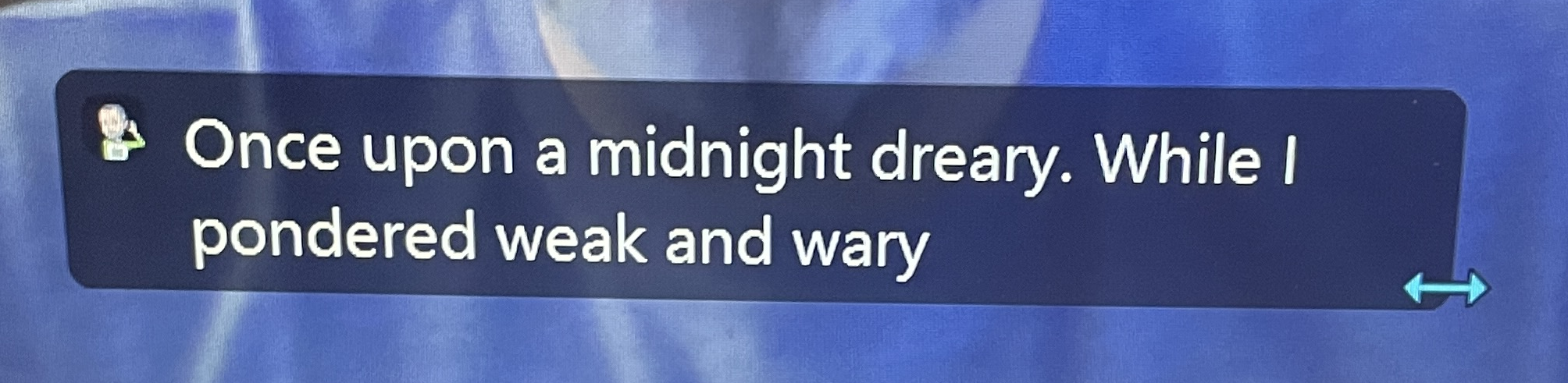
You can also move the bar if it’s blocking someone’s face. Hover over the middle of the bar. When the cursor changes to a hand, click, hold, and drag to move it.
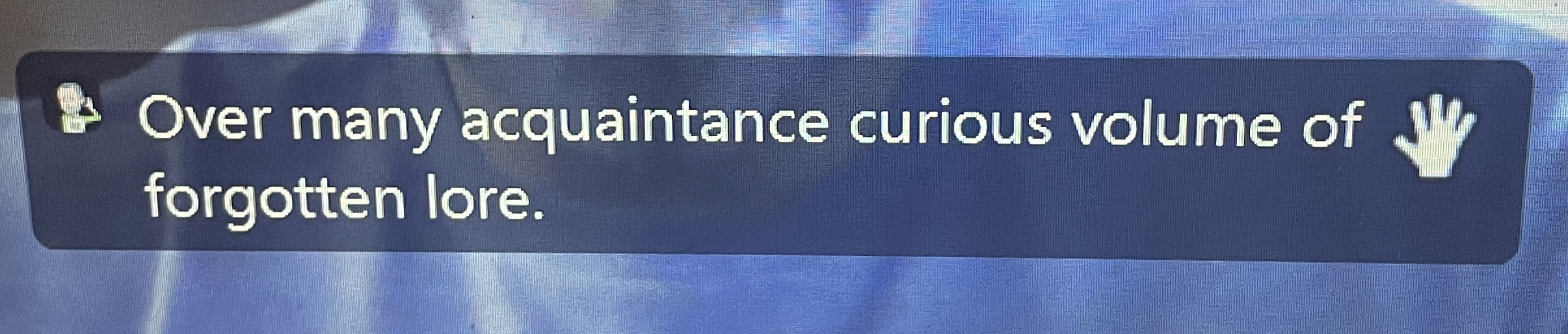
If you know The Raven well enough, you can see one of the common problems with the AI captioning, it makes a fair amount of mistakes. If you have a Pro subscription, you can take the caption game up another level. You can leverage Communication Access Real-Time (CART) captioning by designating someone in the meeting to type the captions.
When you’re in a meeting, click the ^ next to the caption button on the bottom of the screen. Then click Set up manual captioner.
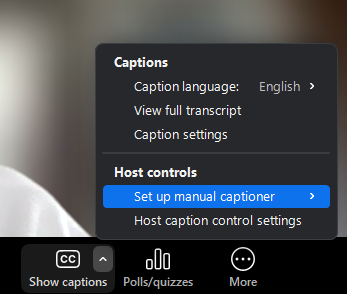
Click the circle next to On under the Enable manual captioner. And then click either I will type or Assign a participant.

The captioning box will appear to the person you designate. That’s where the they will type.

But the boon to DHH attendees goes beyond captioning options. The ability to look straight at all of the speakers makes speech reading easy. Usually. There are caveats a-plenty; a camera turned off or pointed up someone’s schnoz; a mouth facing away or full of food; light that’s too dim or poorly positioned; inability to find the speaker amongst the gaggle of squares. The list goes on. But because everyone is, ostensibly, facing the camera, they’re facing you. The same can’t be said for in-person meetings. Even at circular tables, the people next you you aren’t facing you. Zoom is the great equalizer when it comes to positions of faces.
Zoom also allows a DHH person to change the volume of the speakers’ voices. Again, there are some caveats, like the quality of the mics and all the usual hard of hearing speech understanding challenges (enunciation, accent, etc). But you can turn up the computer’s volume to help. Or, you can get a Bluetooth streamer like the Oticon ConnectClip or Phonak Roger On, to stream the sounds directly your our aids or implants.
No matter your hearing level, virtual meetings does take something away from a meeting. There’s timing issues which result it more crosstalk than in-person meetings. There’s also something between everyone, the technology, that lends an impersonal feel to the meeting. But for we DHH folks, in-person meetings tax our active listening more acutely than virtual meetings. More often than not, we get more out of virtual meetings than in-person meetings. Which is why so many of us prefer Zoomies.
Ah technology,
Ye giveth, taketh away,
All are different.
Leave a Reply